Rental Housing
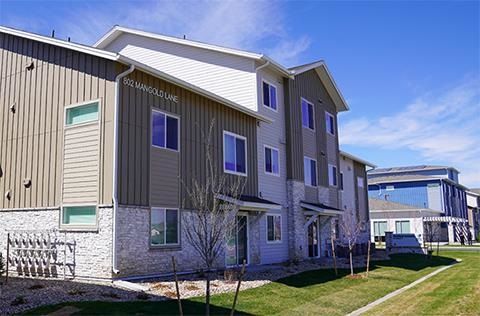
The City of Fort Collins provides rental housing support including inspections, registration and resources for tenants and landlords to ensure safe, compliant rental properties.
For Tenants
Rental Inspections
The City of Fort Collins has minimum standards for rental housing. This includes having windows that open and working heat and water. If you believe your home does not meet these requirements, you can request a rental inspection.
What is a rental inspection?
A rental inspection checks your home or apartment to make sure it meets the City of Fort Collins Rental Housing Minimum Requirements. This makes sure the home provides a safe and healthy place to live. Inspectors will look at the outside, inside, electrical, mechanical and fire safety.
These standards are different than the Warrant of Habitability, which sets minimum standards for the state. The Warranty of Habitability must be enforced through the court system.
When should I get a rental inspection?
You can schedule an inspection any time you believe your rental home does not meet minimum standards. We recommend that renters contact their landlord about maintenance or repair before scheduling a rental inspection. Their rental property is their investment, and they benefit from having it in good working order.
Registration Information for Tenants
If you're a tenant in the City of Fort Collins, you can check to make sure your property is registered before signing a lease. Landlords who register their properties with the City have certified that they comply with the City's minimum rental housing standards.
- Visit the online portal to check if a property is registered.
- Type the street address in the "simple search" bar on the right side of the page. If you're looking for a property with multiple units, try using just the street address without the unit number.
- Look through the list of records for one starting with "LTR" (ex: LTR2400543). The status of the record should say "Issued."
Check Rental Property Registration
For Landlords
As of Jan. 1, 2025, most long-term rental properties (homes rented out for 30 days or more) in Fort Collins must register annually with the City and certify that they meet minimum housing standards. Rental registration is part of the City's new Rental Housing program. This program helps landlords and tenants with education, grants and other resources.
The City Council made this program to:
- Open communication between the City and rental property owners, and help strengthen landlord and tenant education and outreach.
- Provide better data to help the City understand and support our unique rental housing market.
- Make sure that housing units in the City meet our minimum requirements by requiring self-certification of rental properties annually.
The Rental Housing program has already provided more than $200,000 in grants for landlords to make upgrades and repairs to their rental property. Grant funding rounds typically open in December for the following year.
Register Your Rental Property
How to Register your Rental Property
Sign up for an account and register your rental property using our online portal. You must create an account and be logged in to submit an application.
We recommend reviewing this website for more information before registering. Use the FAQs and video tutorial below to answer questions before completing the registration process.
If you have any issues or need help during registration, contact us at rentalhousing@fortcollins.gov or at 970-416-2305. In-person help is also available at 281 N College Ave. during business hours. Appointments are recommended but not required.
Step 1. Access The Portal
- Open your web browser and go to accela-aca.fcgov.com.
- You must have an account before registering your property. If you're a new user, follow the prompts to create an account. If you already have an account, log in with your existing credentials.
- Helpful Hint: Adding your contact information when you register for your account makes the registration process faster and easier!
Step 2. Start the Registration Process
- Once logged in, select the Submit Rental Registration option in the middle of the page.
- Read and accept the General Disclaimer by checking the box that states "I've read and accepted the above terms."
- Select the blue Continue Application button.
Step 3. Select Property Address
- Enter the Street Number and Street Name of the rental property in the designated field. You don't need to enter any other information (city, state, owner name, etc.) because it will auto-populate.
- Select the blue Search button.
- Select the correct address from the pop-up window, then scroll down and click Select.
- Once the owner is selected, the owner and parcel fields will auto-populate.
- Select the blue Continue Application button.
If you're registering more than one unit on the same property, or have more than one property owner:
- If there are multiple units on the property, you can choose any one address for your application. The rest of the addresses will be listed on the registration automatically when you submit.
- If there are multiple owners, you'll only be able to select one owner's name on the application, but all owners will be listed on the registration.
Step 4. Provide Rental Information
- Click on the words Select Building Type to enter information about the type of unit you're registering (apartment, duplex, etc.) and how many units you are registering.
- In the Additional Information section, you can share any other information that will help us process your registration.
- Select the blue Continue button.
If any units on the property are owner-occupied:
Owner-occupied units should not be included in the number of units you're registering. Use the Additional Information field to tell us which units are owner-occupied so we register the proper addresses/units.
Step 5. Fill in Property Details
- Fill in additional property details such as who owns the property, how the property is managed or another primary contact for email correspondence.
- Confirm you understand the responsibility for meeting the minimum standards of the International Property Maintenance Code by checking the indicated box.
Step 6. Enter Contact Information
- Provide contact information for the property owner, property manager and/or other responsible party.
- You can use existing contact information for the account holder or the owner by selecting the blue Select from Available Contacts button. Or, select Add New Contact Info to include another contact on the application.
- Select the blue Continue Application button.
Step 7. Submit the Application
- At the bottom of the screen, check the box stating you are authorized to submit the application and that all information is correct.
- Select the blue Continue Application button to submit your rental registration application.
Completion
Once submitted you'll receive an email stating your application has been submitted for review. After your application is reviewed and approved a request for payment will be sent. Payment can be made online or by check. Upon receipt of payment your certificate will be emailed to you.
Registration FAQs
Why do I need to register?
Rental registration is required by the City's Municipal Code. The goal of annual rental registration is to:
- Open communication between the City and rental property owners, and help strengthen landlord, and tenant, education and outreach.
- Provide better data to help the City understand and support our unique rental housing market.
- Make sure that housing units in the City meet our minimum requirements by requiring self-certification of rental properties annually.
Since tenants will be able to access a database of registered rental properties within the City, registering your rental property with the City confirms your property complies with rental housing code.
How much does it cost?
The base registration fee is $37 each year for every rental property, plus $10 for each additional rental unit on the same piece of property. Here are some examples of fees from different types of rental properties:
- One standalone house on its own piece ("parcel") of land: $37
- An apartment building with four units: $67 ($37 base fee + $30 for additional rental units)
- Three condo units in the same building: $111 ($37 for each property)
- Five standalone houses: $185 ($37 for each property)
This fee is charged annually.
What if I own multiple properties?
Each individual property must be registered separately (not each unit). For example, apartments on the same property can be registered together. Condos must be registered separately because they are each on their own "parcel" and can be bought and sold separately.
Once you have submitted your first record, you can use the "Copy Record" feature to save time on additional applications. Just click "Copy Record" and then uncheck the boxes for Address and Parcel. This will open a new application with the contact information already entered, so you can just enter the address and building information.
Are inspections required?
No, inspections are not required as part of the registration process. Property owners will be asked to "self-certify" that their property meets minimum standards.
Renters can request an inspection at any time if they believe their property does not meet minimum standards.
Is my registration information published online?
No, members of the public will only be able to see if a property is currently registered. This will help tenants confirm that a home is a legal rental unit. They will not be able to see any contact information included in the registration.
What happens if I don't register?
Registration is required by City ordinance, and fines will be assessed if property owners do not comply with registration requirements. The goal is voluntary compliance, and property owners will be sent multiple notices before a violation is written.
How do I modify my registration?
Once you submit your registration, you will not be able to modify it. Please email us at rentalhousing@fortcollins.gov and we will help you make changes to your registration.
A landlord-tenant handbook helps landlords and tenants navigate the rental process.
The City offers grant funding for property owners to help with repairs and maintenance. The goal is to invest in rental housing stock and prevent rent increases from costly repairs. Grant funding rounds typically open in December for the following year.
Need Help?
For help with the registration process or for more information contact us at rentalhousing@fortcollins.gov or 970-416-2305. In-person help is also available at our offices at 281 N College Ave. Appointments are encouraged, but not required.